HOTSPELL
A downloadable Strategy Word Game for Windows and macOS
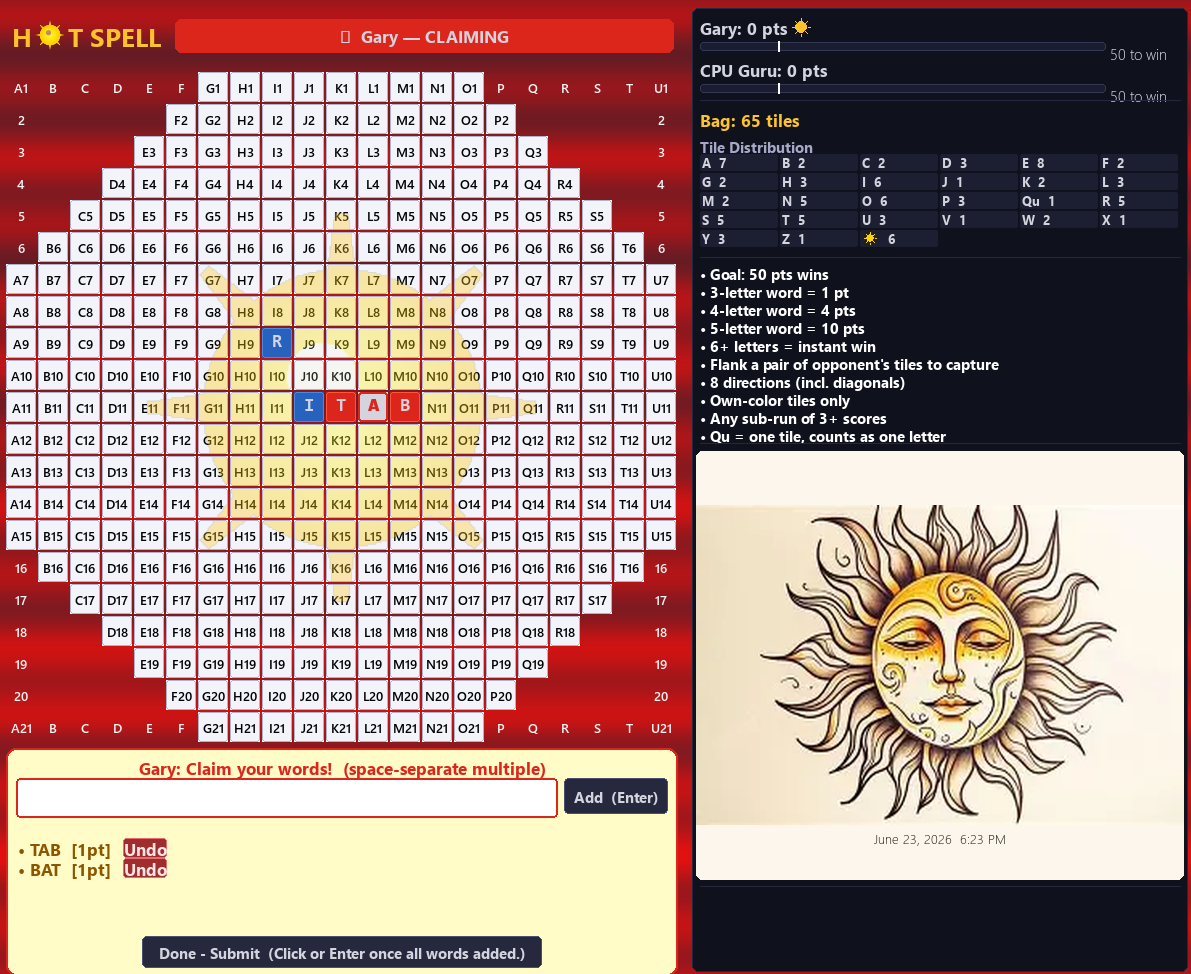
HotSpell looks like a word game. It plays like a war.
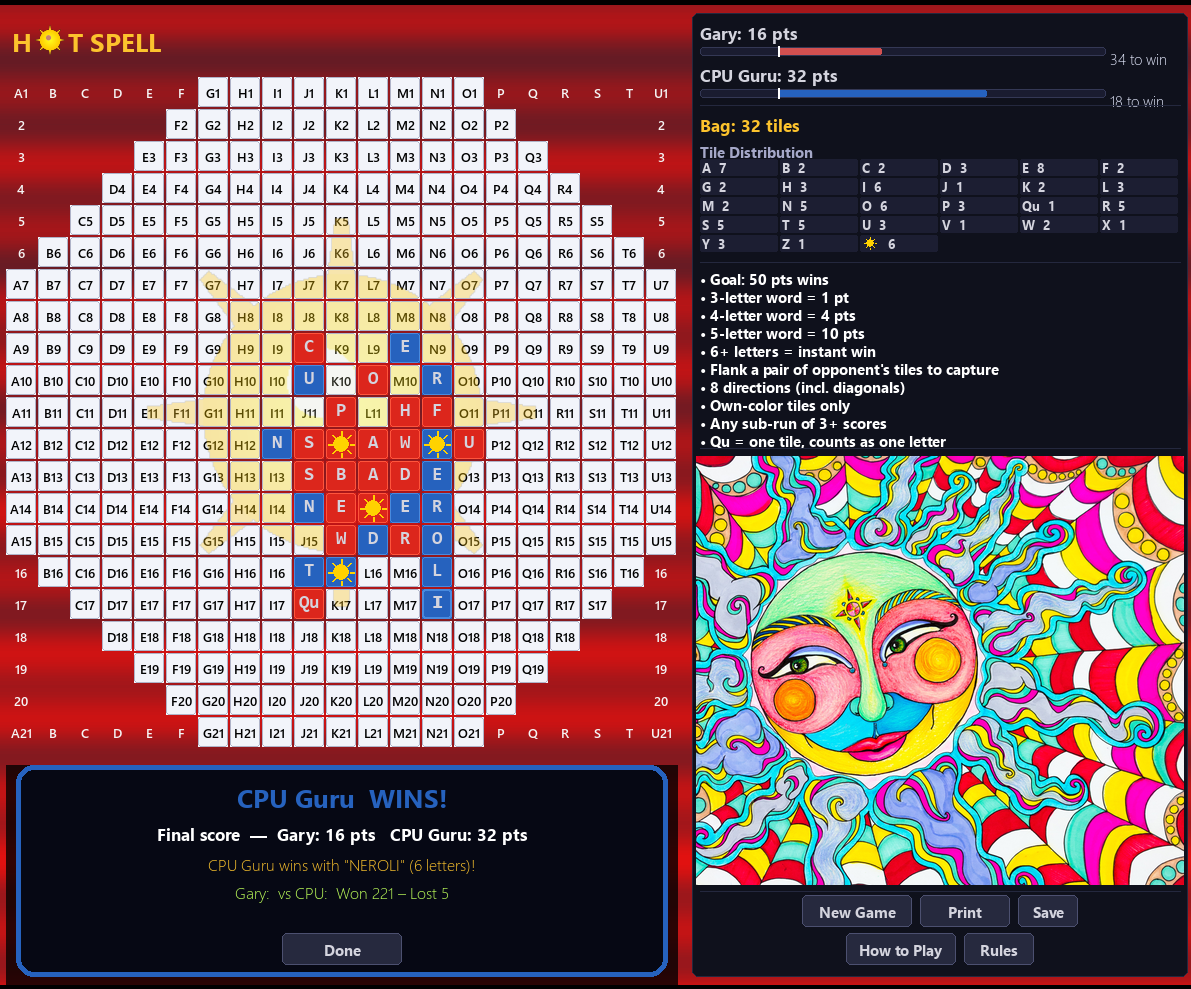
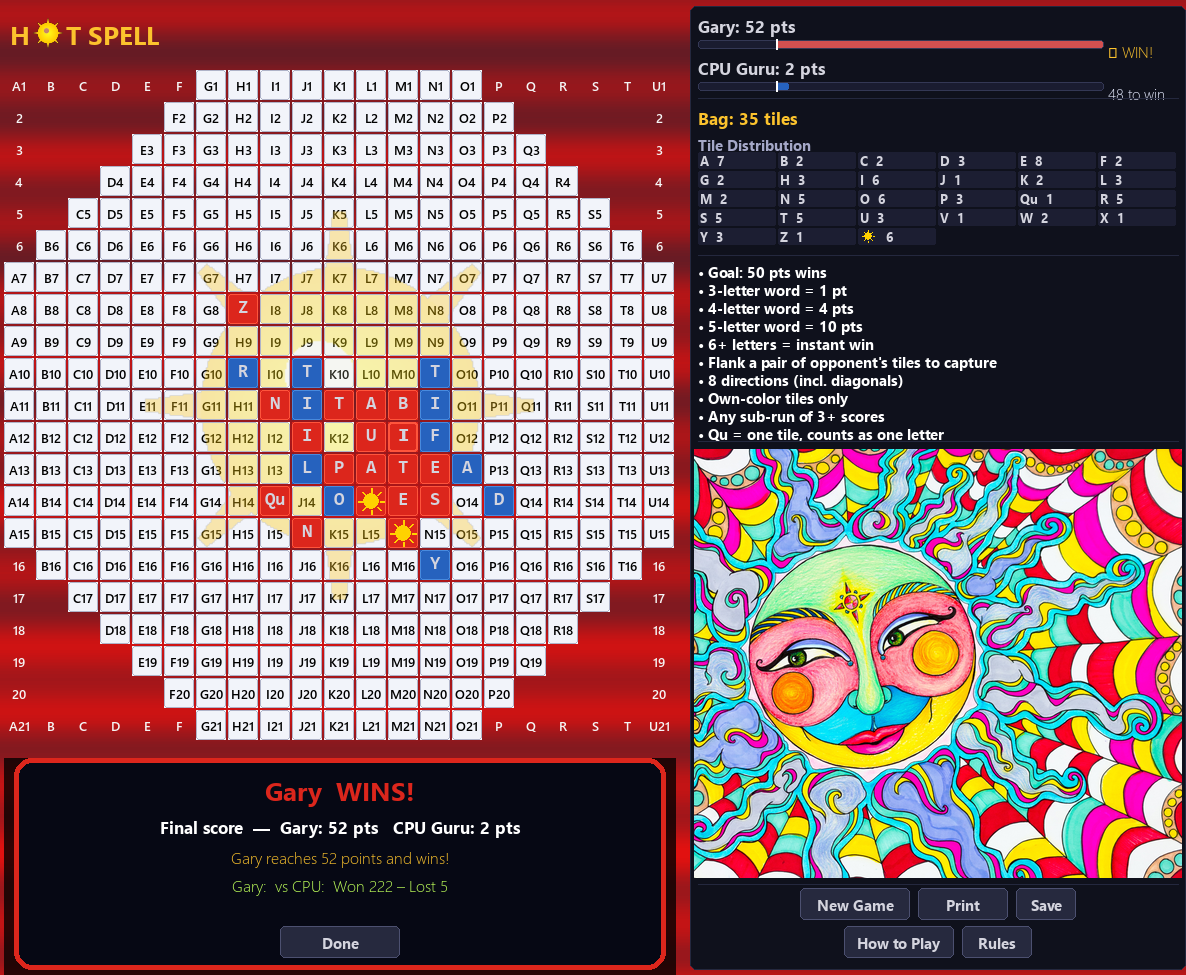
On an octagonal 21×21 board, you and your opponent take turns placing tiles and building words — but words here run in all 8 directions, forward and backward, left and right, up and down and all diagonals, and the same tile can score in multiple directions simultaneously. Three-letter words score 1 point; four-letter words score 4 points; five-letter words score 10 points. Make a 6-letter word and you win instantly. Otherwise, first player who reaches 50 points wins. If the bag is empty and neither player has reached 50 when a player goes out, the player leading at that point wins the game.
Build power threats. Three of your tiles in a line with both ends open — your opponent can't block both. This is the position every strong player tries to build, and the position every player fears. Extend it to four tiles for 4 points and a single unblocked end can become a 5-letter word scoring 10 points or more if the play also makes words in the opposite direction or cross-axis. Leave a five-letter word unblocked and it could extend to 6 letters for an instant win.
Captures. Flank exactly two of your opponent's tiles and take them — they go straight to your rack. Done right, a capture shrinks their board presence while fueling your next word. Done carelessly, the cleared space becomes a gift: one tile refilling into a newly blank cell remaking words for points they didn't have to earn.
Capture forks and traps. These plays do two things at once — threaten a capture and extend a run, forcing your opponent to choose which to answer. Capture traps go further: a sequence of forcing moves that wins you a free capture while your opponent scrambles to re-block a threat that keeps coming back.
SUN tiles. Six wild tiles in the bag, permanently wild. Unlike a blank in Scrabble, a SUN never locks — it can represent a different letter in a different direction at every turn. In the right position, one SUN tile can turn a dead run into a 10-point word.
The game is a race. Score leads evaporate. A four-tile run left unblocked for one move becomes a five-letter word — 10 points, possibly more. An unblocked 6-letter word ends the game on the spot. You can be winning by 20 and lose in two moves if you stop paying attention.
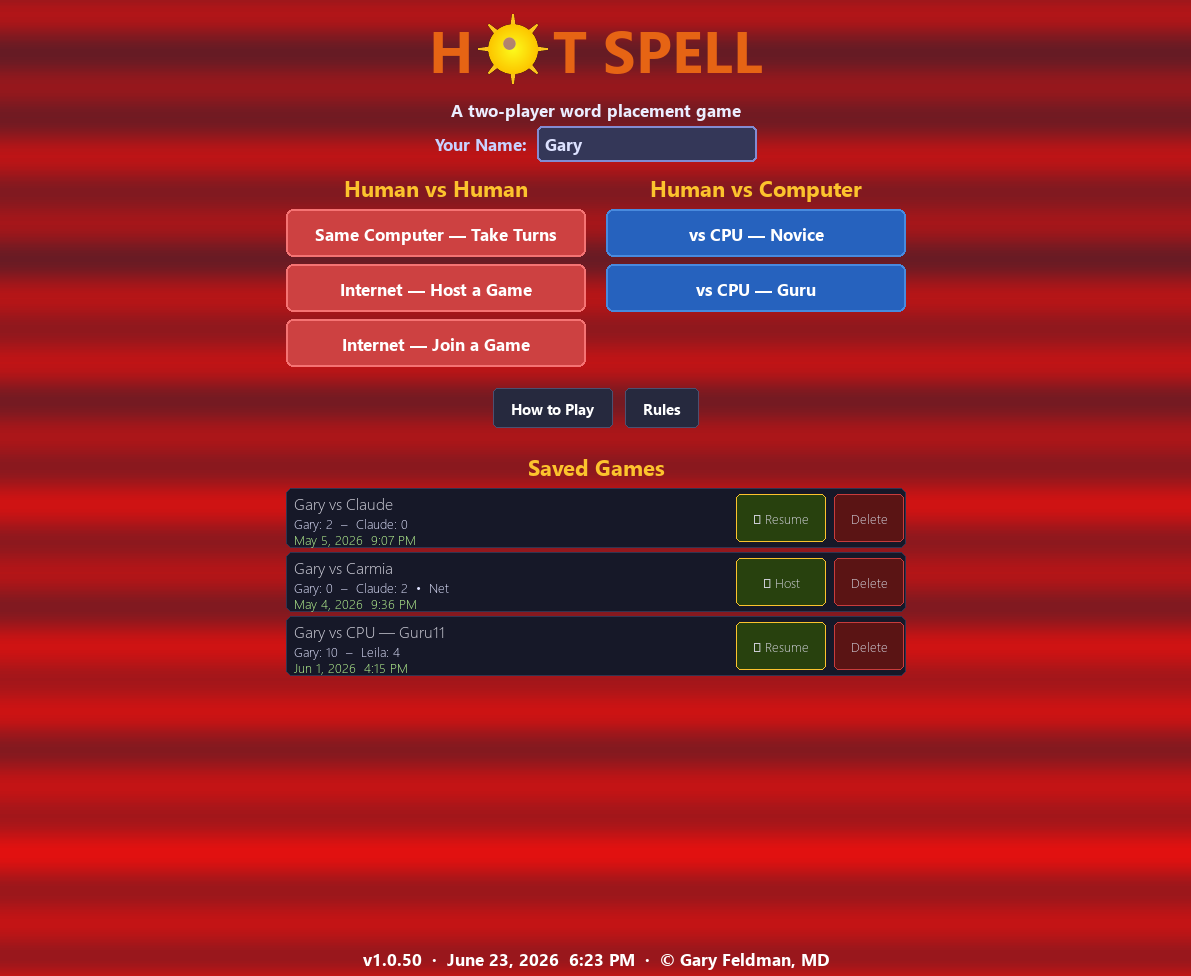
Modes: Challenge the computer at two difficulty levels — Guru plays a decent game, but you will be able to beat it with a little practice. Novice is more easily beaten. Or play a local two-player game or go head-to-head over the internet via built-in relay — no port forwarding or setup required.
Platforms: Windows and Mac.
Windows users: When you download HotSpell, Windows may show a "Windows protected your PC" SmartScreen warning. This is normal for new independent apps that haven't yet built a download history with Microsoft. To run the game: click More info, then click Run anyway. HotSpell contains no malware — SmartScreen flags it solely because it is new.
Price is $4.99 after 5 free plays.
Download for free — HotSpell includes 5 free games, no purchase needed.
To unlock unlimited play ($4.99):
After you play 5 free games, you will have the opportunity to purchase a key to permanently unlock the game. Click on Activate and it will take you to the purchase site. When you have your key, enter it in HotSpell's activation box and click on Activate. Be sure to save your key in case you need to reinstall the game, or move the game to a different computer or need to reinstall Windows,
Download
Install instructions
Mac users:
Download HotSpell-MAC.zip and upzip the file, which will create the file HotSpell.app. Double click on the App to run the game.
Windows users:
Download HotSpell-PC.zip for Windows.
Unzip the file which includes the hotspell.exe file, a batch file called firewalL,bat which can open your firewall to allow for network play including play on your LAN with two computers and README,txt which deals with the situation when Windows blocks the exe file from running. The instructions in the README file are also found below.
When you download HotSpell, Windows may show a "Windows protected your PC" SmartScreen warning. This is normal for new independent apps that haven't yet built a download history with Microsoft. To run the game: click More info, then click Run anyway. HotSpell contains no malware — SmartScreen flags it solely because it is new.
FIREWALL (for network play) Hot Spell supports internet play through a relay server — no port forwarding is needed. If your firewall asks whether to allow HotSpell.exe network access, click "Allow" (or "Allow access" on both Private and Public networks). If you use local network (LAN) play instead of the relay option, the host machine must allow inbound TCP connections. A helper batch file called firewall.bat is included — run it once as Administrator on the host machine to add the required firewall rule automatically.
Here is more detail:
Double-click HotSpell.exe to launch the game. If Windows blocks the file, see the "Windows Security Warning" section below.
----------------------------------------------------------------
WINDOWS SECURITY WARNING (Smart App Control / Windows Defender)
Windows 10 and 11 include a feature called Smart App Control (SAC) that blocks programs which have not been digitally signed by a trusted certificate authority. Hot Spell is an independently-developed game and is not yet commercially signed, so Windows may refuse to run it or show a warning. You may see one of the following: • "Windows protected your PC" (blue screen) — click "More info", then "Run anyway". • The file simply does not open and nothing happens — this usually means Smart App Control is silently blocking it. • A red "This app was blocked for your protection" message with no "Run anyway" option — this means SAC is fully active (see below).
If that doesn't work -- HOW TO FIX IT
Option 1 — "More info / Run anyway" (easiest, works most of the time) When the blue Windows Defender SmartScreen dialog appears: 1. Click "More info" (small link under the main message). 2. Click "Run anyway". The game will launch and Windows will remember your choice for this file. Option 2 — Right-click → Properties → Unblock
Option 2 (if option 1 is unavailable) - 1. Right-click HotSpell.exe and choose Properties. 2. At the bottom of the General tab, look for a message that says "This file came from another computer..." 3. Check the "Unblock" checkbox and click OK. 4. Double-click HotSpell.exe again — it should now open.
Option 3 — Turn off Smart App Control (if neither option above works) Smart App Control in evaluation or on mode can silently block new programs with no "Run anyway" button at all. To turn it off: 1. Open Windows Security (search for it in the Start menu). 2. Click "App & browser control". 3. Under "Smart App Control", click "Smart App Control settings". 4. Switch it to "Off". 5. You may need to restart your computer. Note: Turning SAC off applies system-wide. This is a personal preference; Hot Spell is safe to run — you can turn SAC back on after installing.
Option 4 — Add a Windows Defender exclusion If you prefer to leave SAC on, you can add HotSpell.exe as an exclusion: 1. Open Windows Security → Virus & threat protection. 2. Click "Manage settings" under Virus & threat protection settings. 3. Scroll to Exclusions → "Add or remove exclusions". 4. Click "Add an exclusion" → File → navigate to HotSpell.exe.
ANTIVIRUS FALSE POSITIVES --Some antivirus programs flag newly-seen executable files as suspicious simply because they are uncommon (a "heuristic" detection rather than a known threat). Hot Spell is built from open-source Python and Pygame and contains no malicious code. If your antivirus quarantines the file, restore it and add an exclusion for HotSpell.exe.
HOW TO PLAY ----------- Click the "How to Play" button inside the game for a full in-game guide. The Rules button gives a concise reference for experienced players.
CONTACT / FEEDBACK ------------------ Please report bugs or share feedback directly with the developer at gfeldman@sbcglobal.net.
---------------------------------------------------------------
Price is $4.99 after 5 free plays.
Download for free — HotSpell includes 5 free games, no purchase needed.
To unlock unlimited play ($4.99):
After you play 5 free games, you will have the opportunity to purchase a key to permanently unlock the game. When you have your key, copy it then enter it in HotSpell's activation box (paste it or type it) and click on Activate. Be sure to save your key in case you need to reinstall the game, or move the game to a different computer or need to reinstall Windows,
Leave a comment
Log in with itch.io to leave a comment.